Stop sending your passport to a copy shop on WhatsApp.
SafePrint locks your documents on your phone and sends them straight to the copy center's printer. Nobody opens them on the way.
How it works
- 1Add your documentPDFs or photos. Choose the settings and see the price.
- 2It's locked on your phoneEncrypted before it leaves, with a key only that shop's printer has.
- 3It arrives sealedThe shop sees an order number and page count. Never the file.
- 4You release the printType your code at the counter. It prints, then it's deleted.
The real app
Screens from SafePrint as it is today, with demo data.
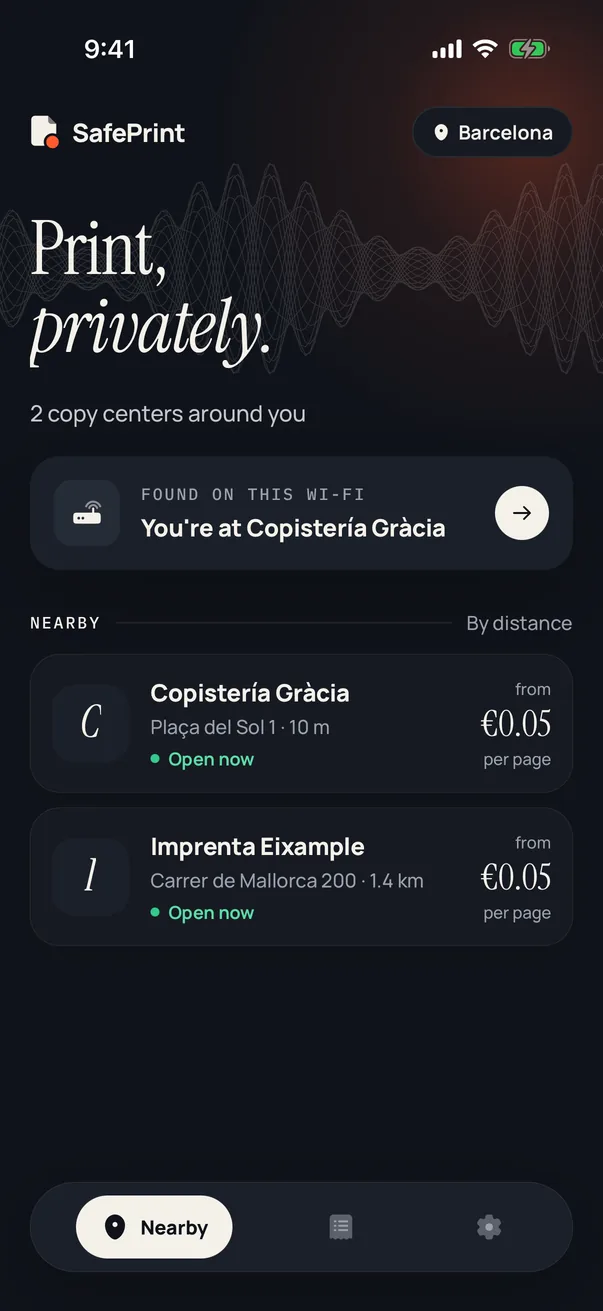
Copy centers near you, and the one you're standing in 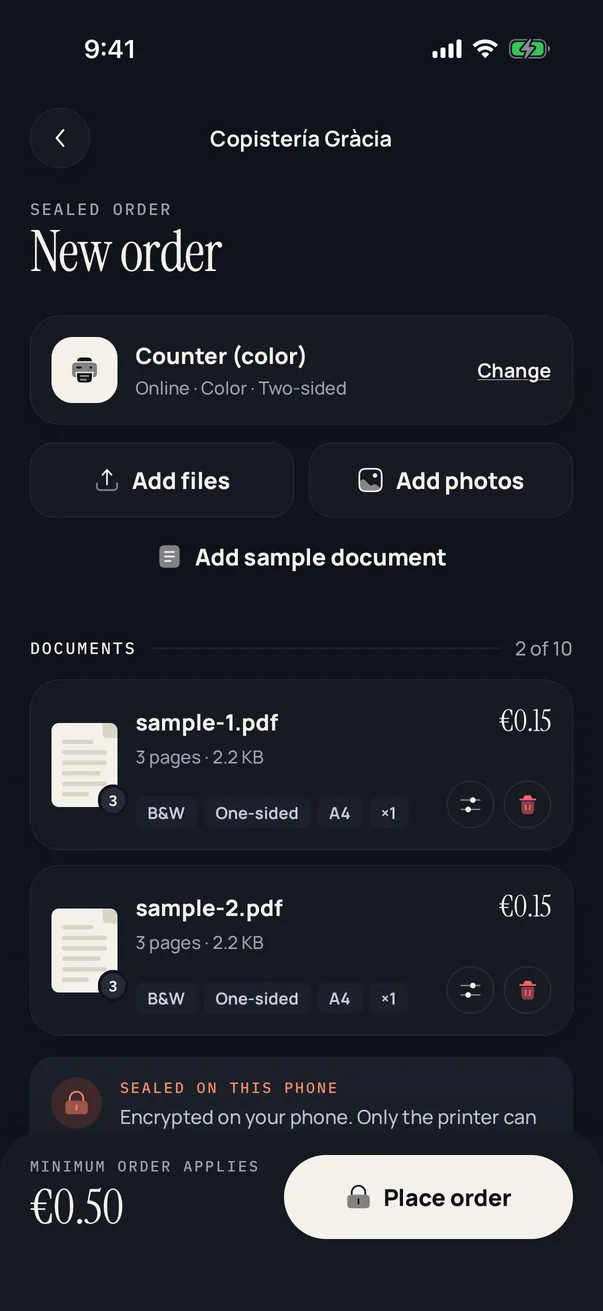
Add documents and pick the settings 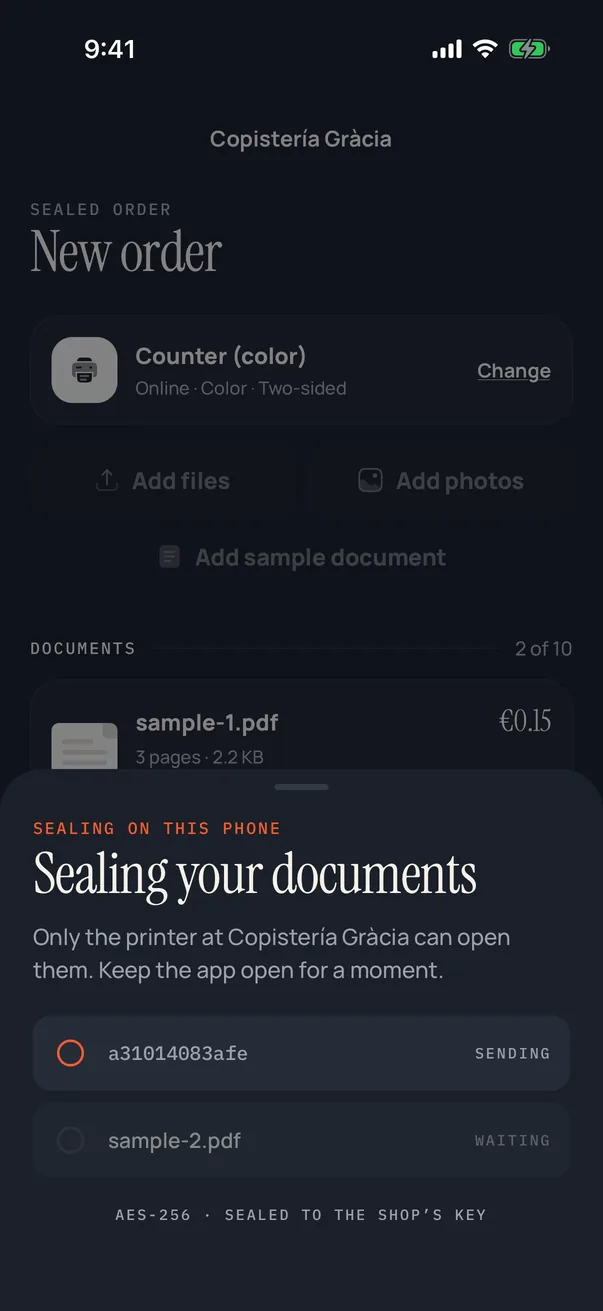
Sealed on your phone before anything leaves 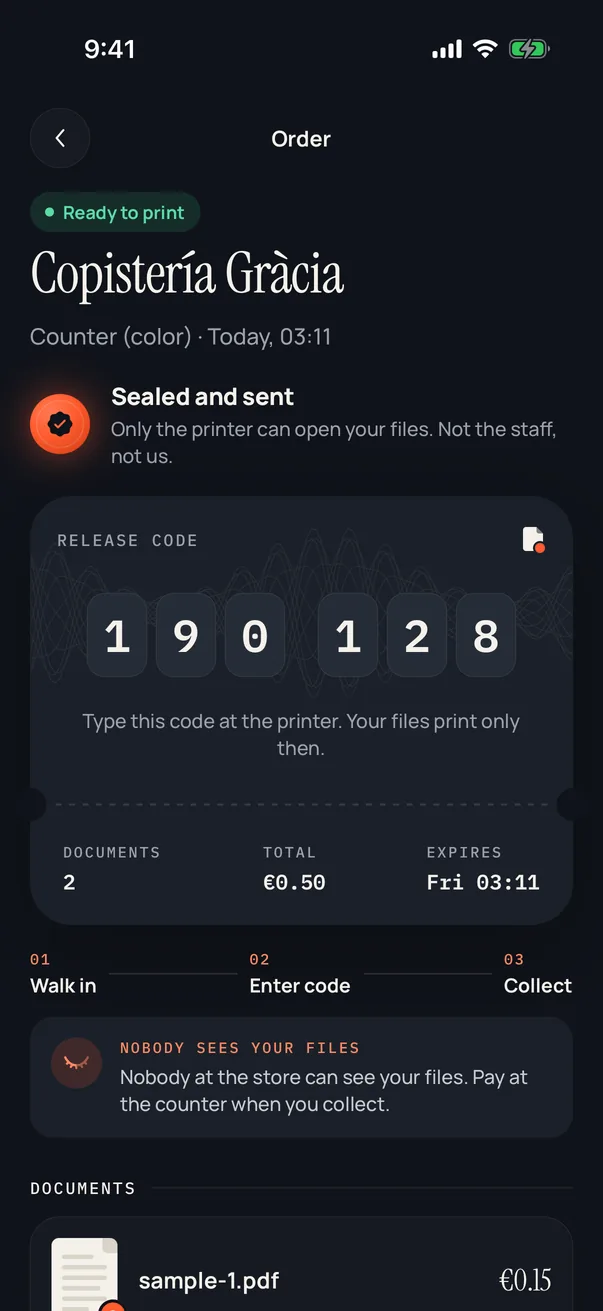
Your release code 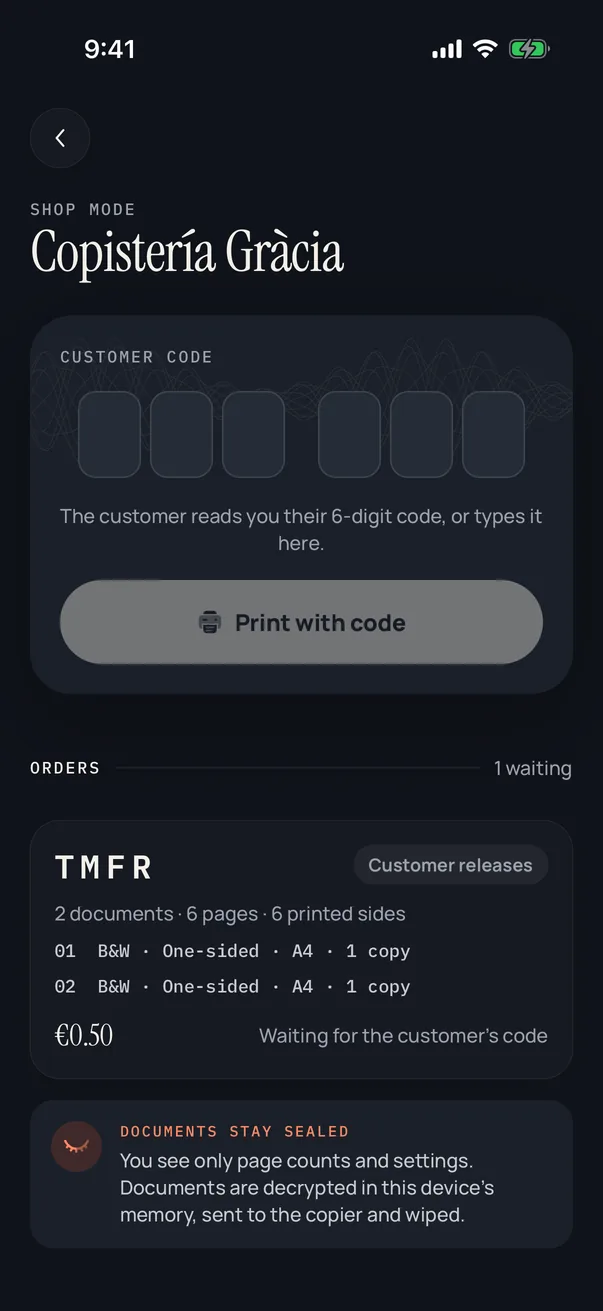
The copy center's queue: refs and page counts only 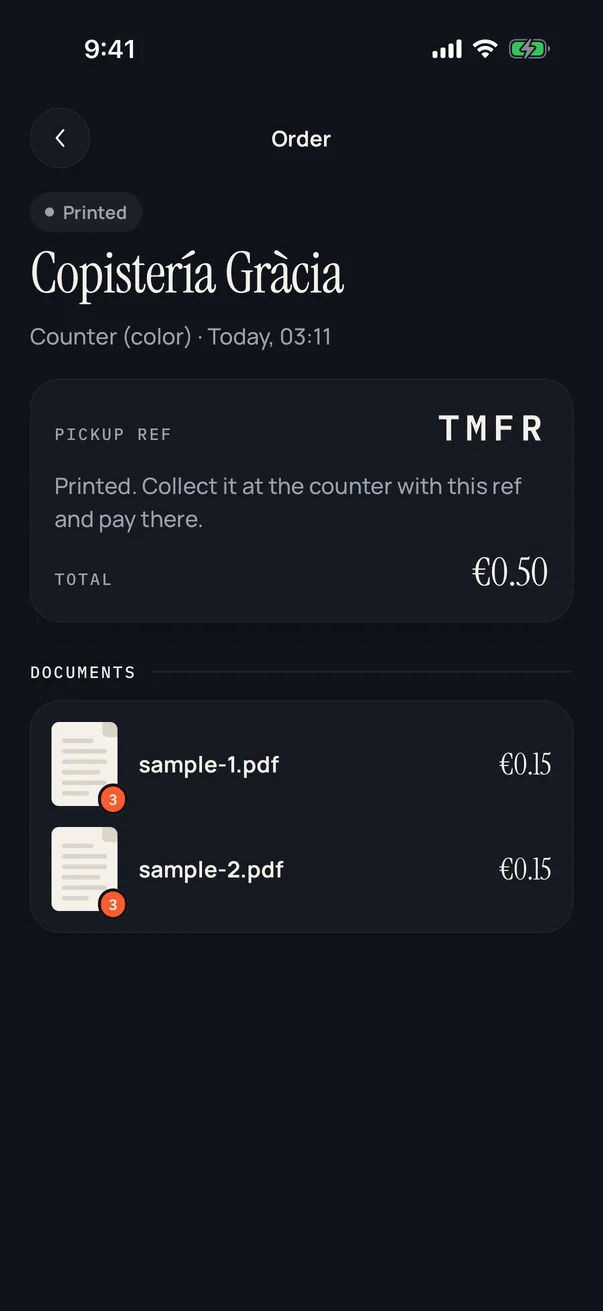
Printed, and the files are gone
Where your passport ends up
Scroll on and watch the copies pile up.
Sent in a chat
- Their chat historypassport_scan.jpg
- Their photo gallerypassport_scan.jpg
- The shop computerpassport_scan.jpg
- Their cloud backuppassport_scan.jpg
Each one sits next to your phone number, for years. You can't delete any of them.
4Copies of your passport
Sent with SafePrint
- Their chat historyNothing here
- Their photo galleryNothing here
- The shop computerNothing here
- Their cloud backupNothing here
Not linked to your name or number. Once it prints, there is nothing left to leak.
0Copies anyone can read
Try it with something private
Type anything you'd never send in a chat. Your browser encrypts it with AES-256, the same way the app seals your documents. Nothing leaves this page.
Pick it up your way
Choose when you order. Either way, you pay at the counter.
Release it with your code
Walk in and type your 6-digit code on the shop's device. Your document prints only then.
Let staff print it ahead
Send it before you arrive. Staff press Print without seeing it, and it waits for you in the pickup corner.
Not printed within 72 hours? It's deleted automatically.
Who sees what
This is the copy center's whole view of your order. Nothing more.
Never shown to the copy center
- Your file on a screen
- The file name
- Your name or phone number
- Your release code
And SafePrint?
We store your file only in its locked form, and we never have the key. We can't open it, and we don't ask for your name, email or phone number.
Files are deleted as soon as they print, right away if you cancel, and after 72 hours if they were never printed.
What no app can stop
Once it's printed, it's paper. Someone determined could scan the printout or tap into the printer itself, as with any printer. SafePrint stops the easy, everyday copies: the chat, the inbox, the shop computer.
Your counter, without the WhatsApp chaos
Orders arrive in one calm queue, priced from your price list and ready for your copier. No files to download, rename or delete, and nothing private left on your computer.
Sign up in the app
Add your shop, hours and prices. We check every copy center before customers see it.
Your copier, found on your Wi-Fi
The app finds it on the shop network and sends each job to it directly.
One tap to print
Print pickup orders ahead, or let customers release theirs with a code.
Free while we launch
No fees for copy centers during the launch.
Get the app and choose “I run a copy center” in Settings.
- 3F8A14 pages, color, double-sidedFor pickup
- 7K2Q2 pages, black and whiteWaiting for the customer's code
- 9C1D1 page, color, A3Printed
Questions
Do I need an account?
No. There's no sign-up, email or phone number. The app creates an anonymous account on your phone.
What does it cost?
The app is free. You pay the copy center for your prints at the counter, at the prices shown in the app.
Which files can I print?
PDFs and photos (JPEG and PNG), on A4 or A3, in black and white or color, one- or two-sided.
What happens to my files after printing?
They're deleted from our servers as soon as they print. If you cancel, they're deleted right away. If you never print them, they're deleted after 72 hours.
Can SafePrint read my documents?
No. Files are encrypted on your phone before upload, and we never have the key. We only store locked data we can't open.
Can the copy center keep a copy?
Not through the app. Staff never get the file, only a Print button. The shop's device decrypts it in memory, sends it to the copier and wipes it. Like any printout, the paper itself can still be copied.
Where can I use it?
We're starting with copy centers in North Cyprus, then Spain. More cities follow as copy centers join.
Print your next document privately.
SafePrint is free for customers.
Get one email when SafePrint launches
No newsletter. One email when the app is in the stores, then we delete your address.